Dynamische Eingabeformate fixieren
Wenn ein Modell potenziell mit NNAPI oder CoreML verwendet werden kann, wie vom Model Usability Checker berichtet, kann es von der Fixierung der Eingabeformate profitieren. Das liegt daran, dass NNAPI keine dynamischen Eingabeformate unterstützt und CoreML mit fixierten Eingabeformaten möglicherweise eine bessere Leistung erzielt.
Zum Beispiel haben Modelle oft eine dynamische Batch-Größe, um das Training effizienter zu gestalten. In mobilen Szenarien hat die Batch in der Regel eine Größe von 1. Indem die Batch-Größen-Dimension auf 1 gesetzt und somit ‘fixed’ gemacht wird, kann NNAPI möglicherweise das Modell ausführen.
Der Helfer kann verwendet werden, um bestimmte Dimensionen oder das gesamte Eingabeformat zu aktualisieren.
Inhalt
Verwendung
python -m onnxruntime.tools.make_dynamic_shape_fixed -h
usage: make_dynamic_shape_fixed.py:make_dynamic_shape_fixed_helper [-h] [--dim_param DIM_PARAM] [--dim_value DIM_VALUE] [--input_name INPUT_NAME] [--input_shape INPUT_SHAPE] input_model output_model

Assign a fixed value to a dim_param or input shape. Provide either dim_param and dim_value or input_name and input_shape.

positional arguments:
  input_model           Provide path to ONNX model to update.
  output_model          Provide path to write updated ONNX model to.

optional arguments:
  -h, --help            show this help message and exit
  --dim_param DIM_PARAM
                        Symbolic parameter name. Provide dim_value if specified.
  --dim_value DIM_VALUE
                        Value to replace dim_param with in the model. Must be > 0.
  --input_name INPUT_NAME
                        Model input name to replace shape of. Provide input_shape if specified.
  --input_shape INPUT_SHAPE
                        Shape to use for input_shape. Provide comma separated list for the shape. All values must be > 0. e.g. --input_shape 1,3,256,256
Um die für das Modell erforderliche Aktualisierung zu ermitteln, ist es im Allgemeinen hilfreich, das Modell in Netron zu betrachten und die Eingaben zu inspizieren.
Ein symbolisches Format fixieren
Hier ist ein Beispielmodell, das mit Netron betrachtet wird, mit einer symbolischen Dimension namens ‚batch‘ für die Batch-Größe in ‚input:0‘. Wir werden dies aktualisieren, um den festen Wert von 1 zu verwenden.
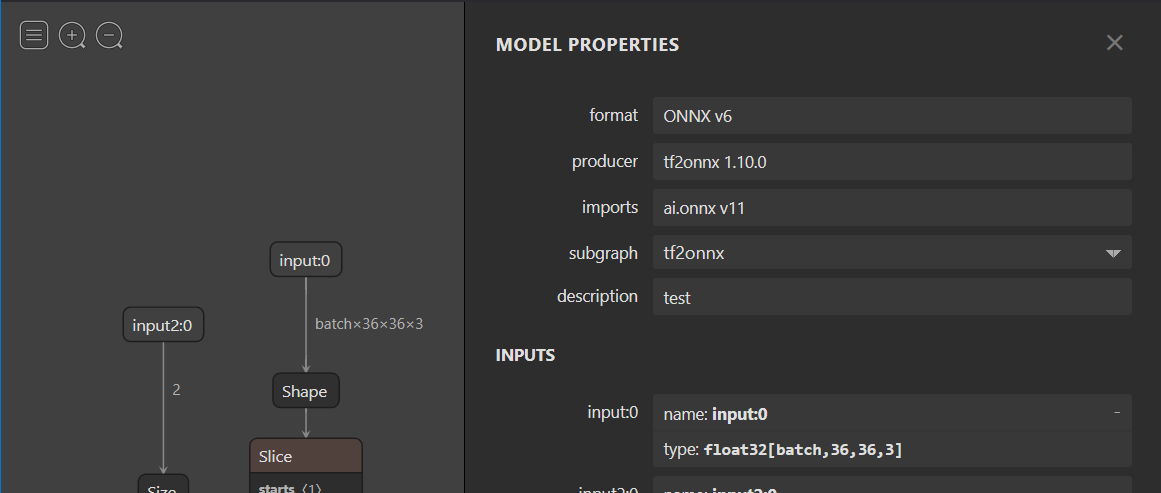
python -m onnxruntime.tools.make_dynamic_shape_fixed --dim_param batch --dim_value 1 model.onnx model.fixed.onnx
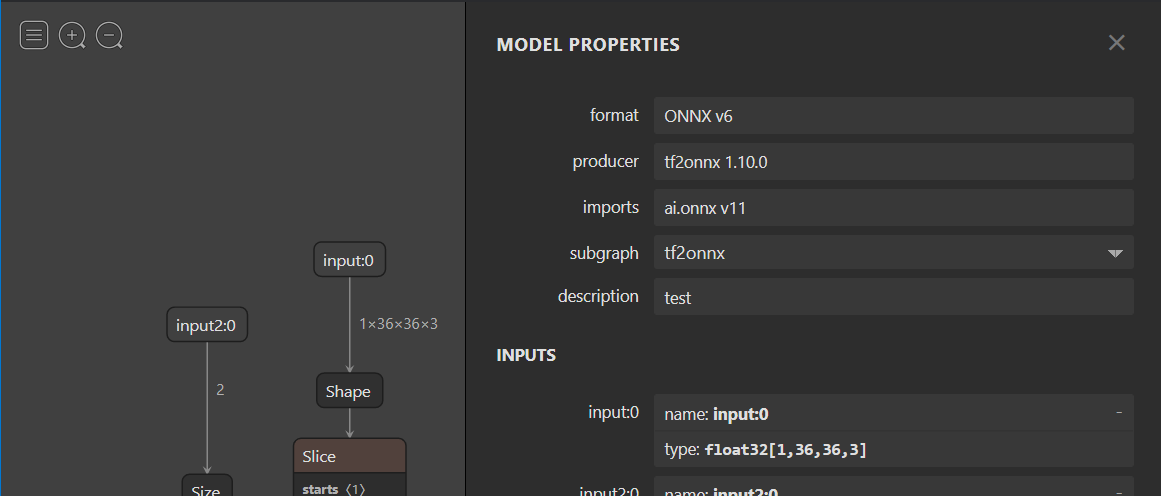
Nach der Ersetzung sollten Sie sehen, dass das Format für ‚input:0‘ jetzt mit dem Wert [1, 36, 36, 3] ‘fest’ ist.
Ein Eingabeformat fixieren
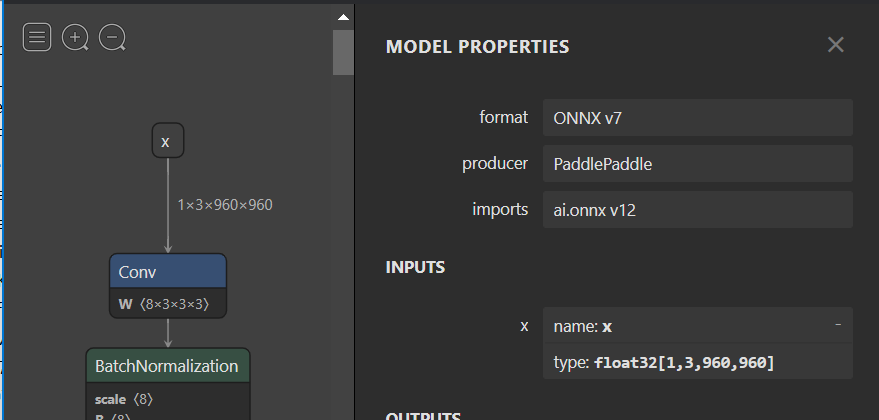
Hier ist ein Beispielmodell, das unbenannte dynamische Dimensionen für die Eingabe ‚x‘ hat. Netron stellt diese mit ‚?‘ dar. Da die Dimension keinen Namen hat, müssen wir das Format mit der Option --input_shape aktualisieren.

python -m onnxruntime.tools.make_dynamic_shape_fixed --input_name x --input_shape 1,3,960,960 model.onnx model.fixed.onnx
Nach der Ersetzung sollten Sie sehen, dass das Format für ‚x‘ jetzt mit dem Wert [1, 3, 960, 960] ‘fest’ ist.